
Import
Choosing the right import template
Do not confuse asset creation with content quantities.
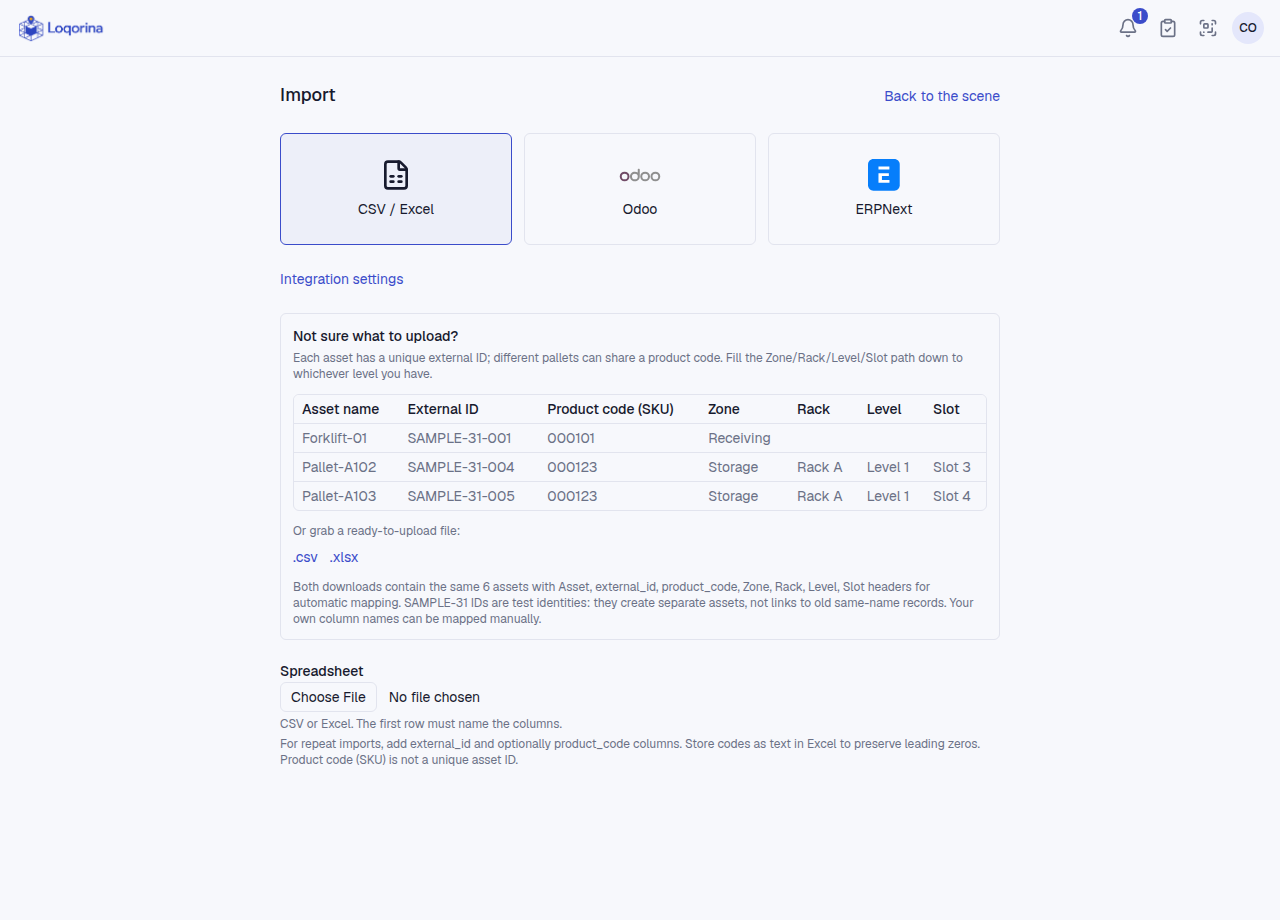
The warehouse Import screen offers CSV/XLSX templates for assets and locations. Headers are Asset, external_id, product_code, Zone, Rack, Level, Slot. Replace sample IDs with your unique physical asset IDs; an ID already used in another warehouse matches the existing asset rather than creating one.
The Asset contents CSV declares product/quantity/unit lines for existing assets; it creates no assets. PALLET-001/002 means two separate example IDs, not one search code. Store Excel codes as text and inspect the preview before applying.
Screenshots use fictional example data. Application screens are available in Turkish or English.