
Getting started
Practice in the sample warehouse
Try search and scanning without changing real data.
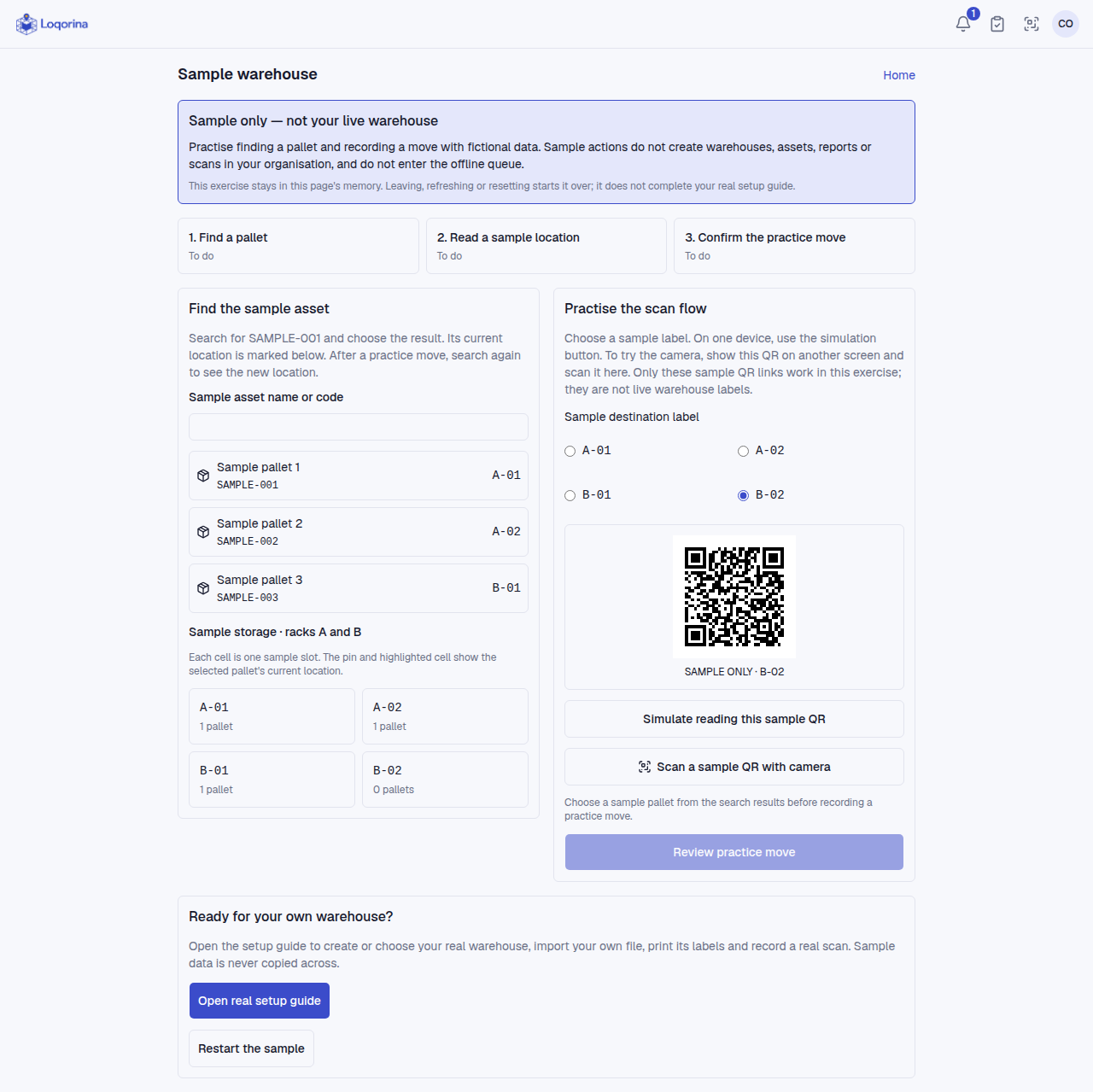
Home or Setup guide → Try the sample warehouse. Search for SAMPLE-001, select it and inspect the highlighted location. Choose another sample destination, simulate its QR scan or scan the sample QR from a second screen. Review and confirm the move, then search again.
Three sample pallets and four slots live only in this page's memory. No real organization data, reports, scans or offline queue entries are created. Real/external QR codes are not accepted in this exercise. Leaving, refreshing or restarting resets it. Opening real setup does not copy sample data.
Screenshots use fictional example data. Application screens are available in Turkish or English.