
Import
Column mapping and preview
Map your headers and inspect changes before applying.
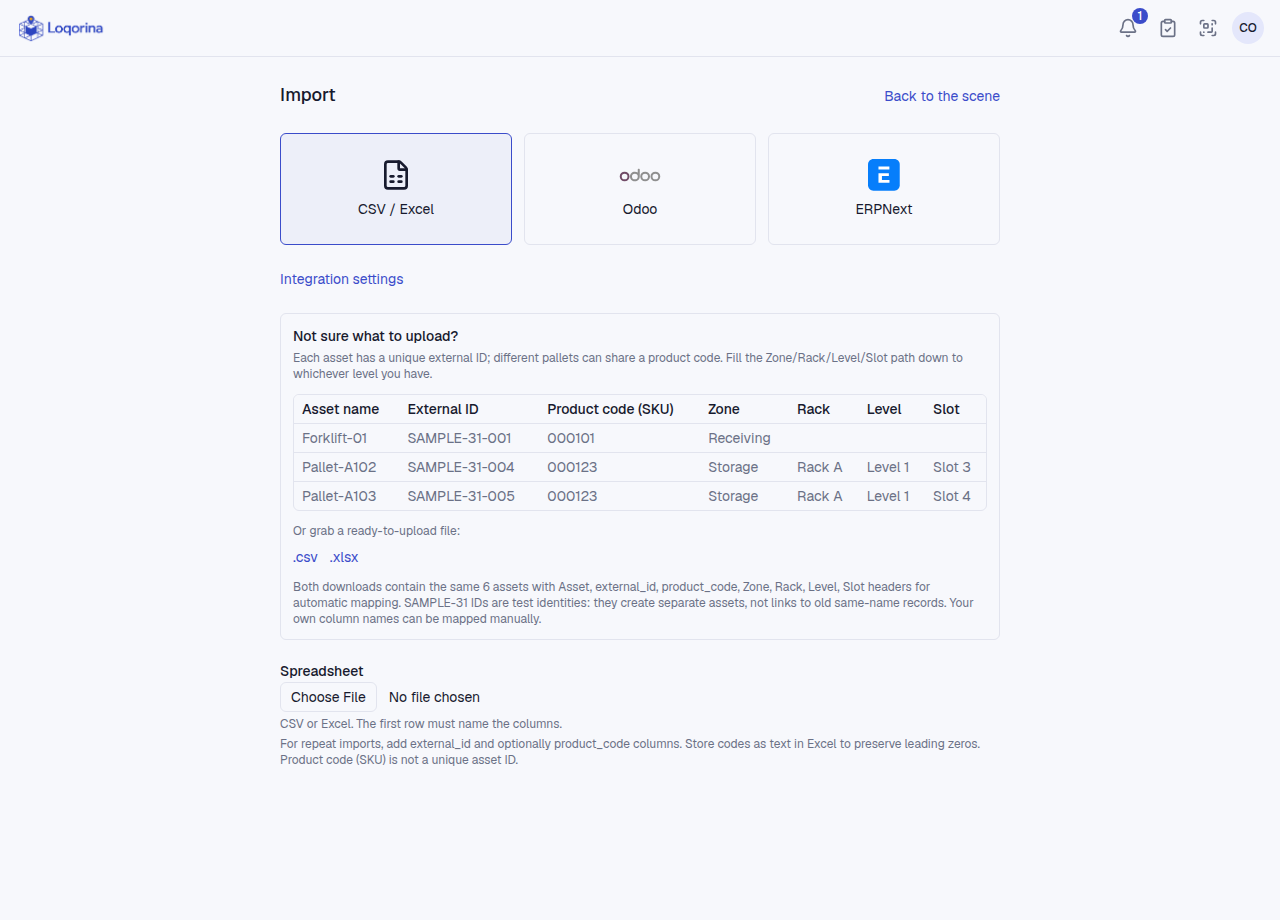
In asset CSV/Excel import, choose the file and map name, external ID, product code and location columns. Fill the location only to your deepest known level; do not skip its parents.
Name and save a mapping for your organization's admins/managers to reuse. Saving a mapping does not import data. Inspect all effects using preview status filters and pages. File, mapping or relevant server-data changes require a new preview. The admin location-correction choice is not saved in a mapping. Contents import uses its own fixed headers, not these saved mappings.
Screenshots use fictional example data. Application screens are available in Turkish or English.