
Loqorina
Know where everything is.
Where is it? An interactive 3D spatial layer for your warehouse.
Start with a QR scan, not a CAD file.
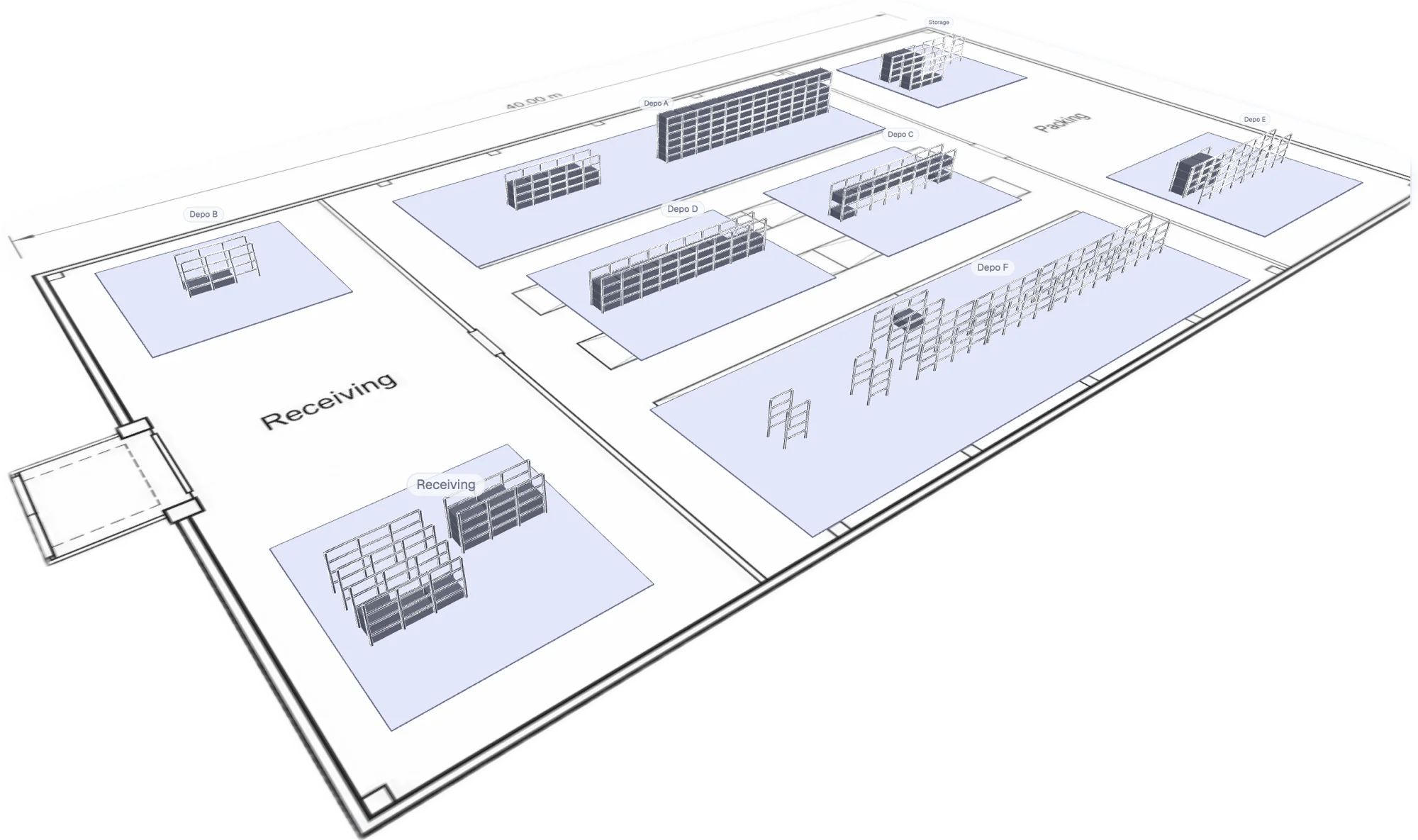
One site, every zone, one view: from receiving to packing.
Product walkthrough
See Loqorina in action
English audio and English subtitles
Watch the video walkthrough of Loqorina. Get in touch if you would like to discuss how to use it in your own warehouse.
Start your 14-day free trial01 / Search
Search flies the camera to the answer
Every rack and slot has a stable ID and a QR code. Type an asset or a location, and the 3D view flies straight to it. No hunting through spreadsheets or memory.
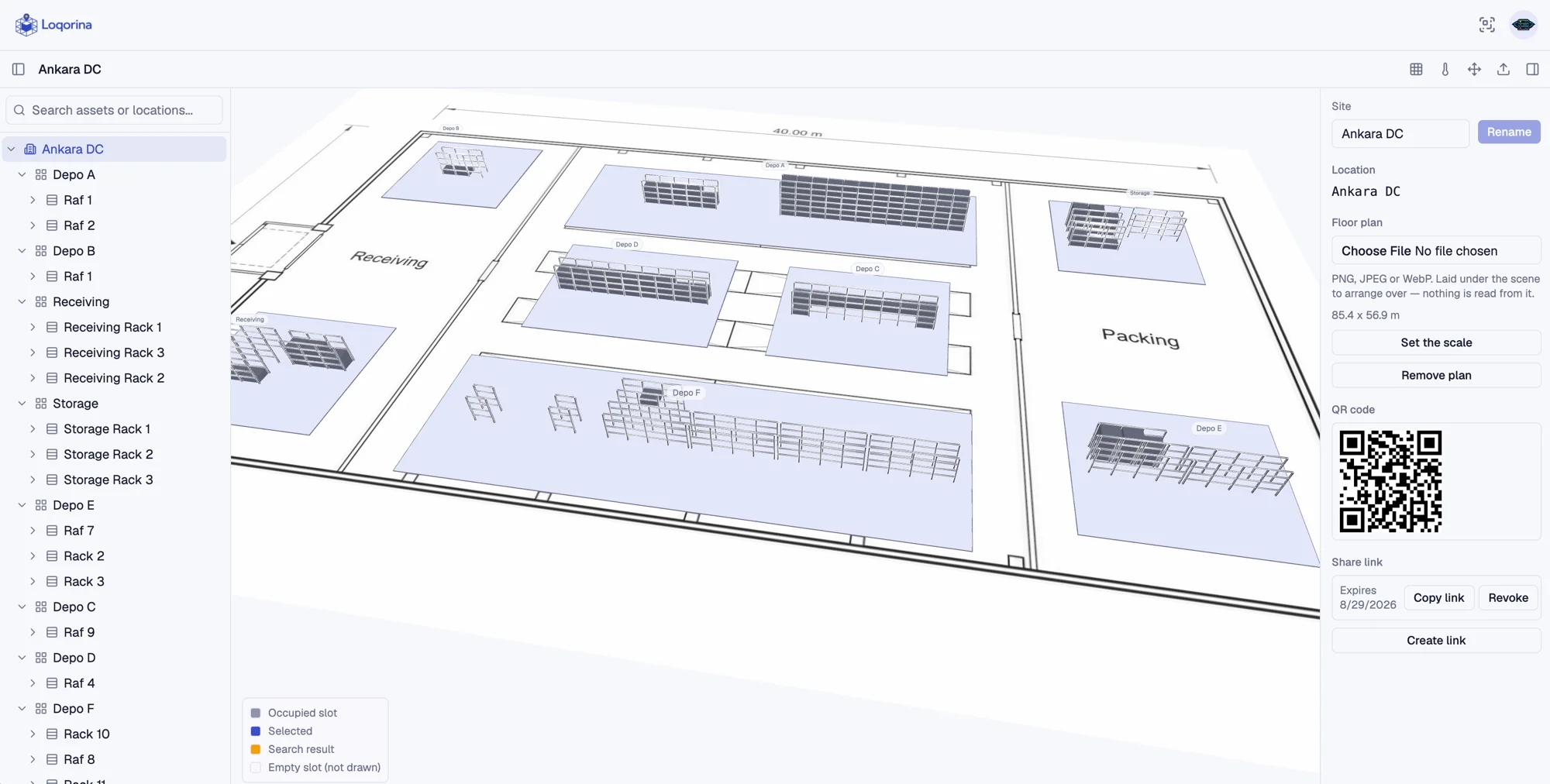
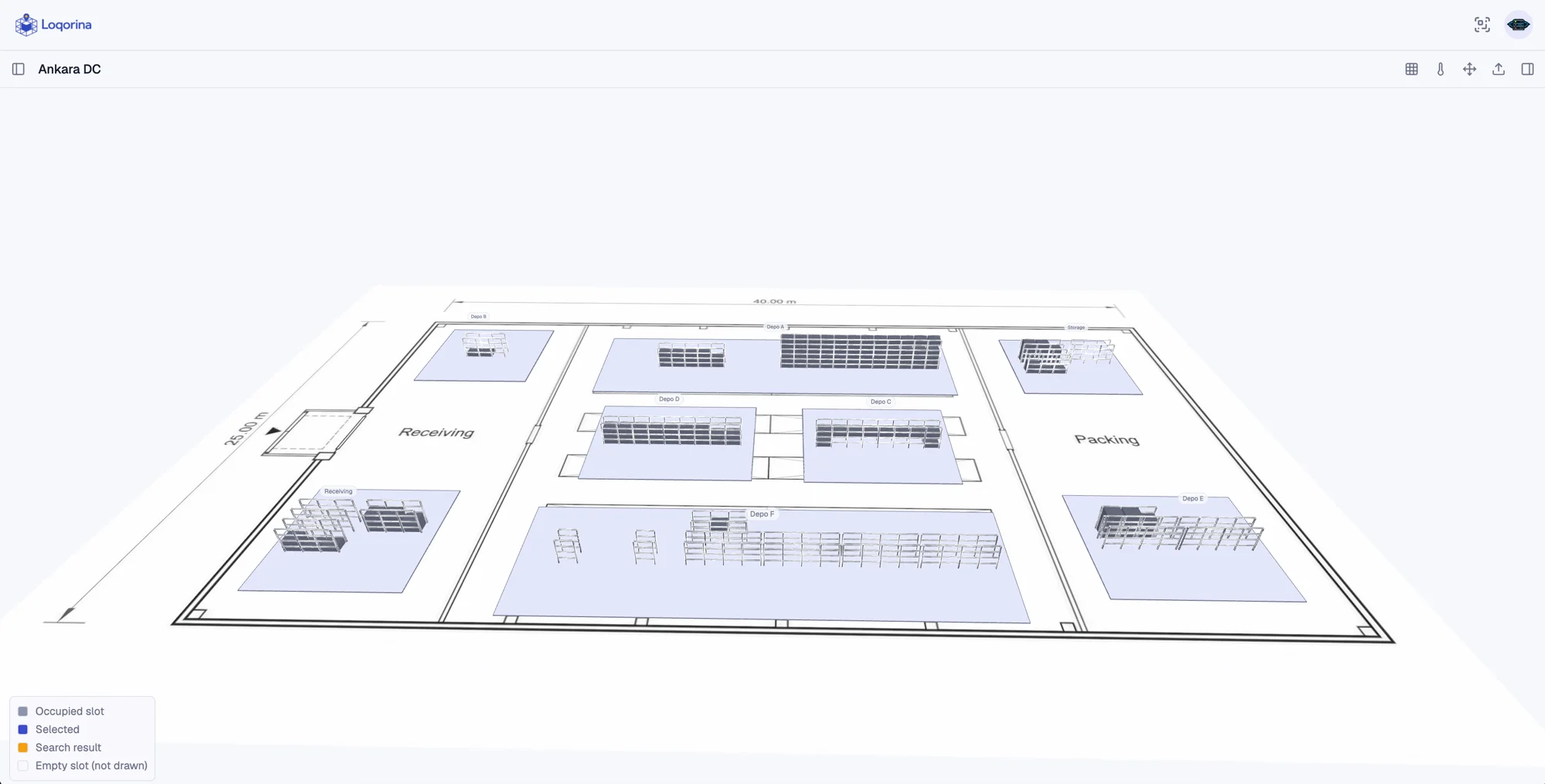
One site, every zone, one view: from receiving to packing.
Try it
Click a zone
This is a live demo over a real exported floor plan. Click any zone to see its occupancy.
Zone
Depo A
- Slots
- 92
- Fill
- 82%
- Sample asset
- Pallet #A-1142
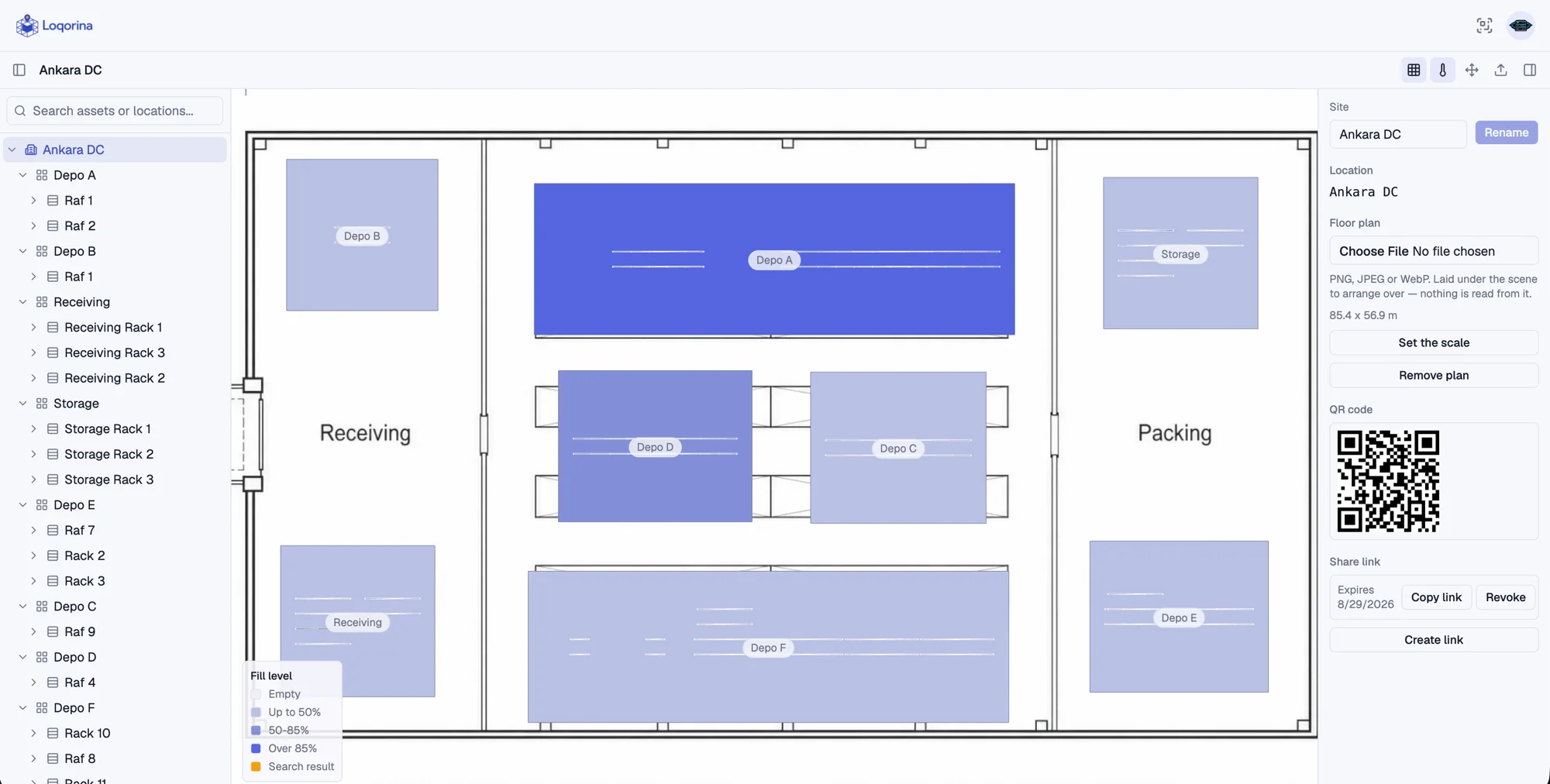
02 / Freshness & occupancy
See what's actually happening on the floor
A fill-level view across every zone, and a freshness count that shows how much of the twin has actually been scanned recently. At a glance, not a report.
475
not scanned in 7 days
316
not scanned in 30 days
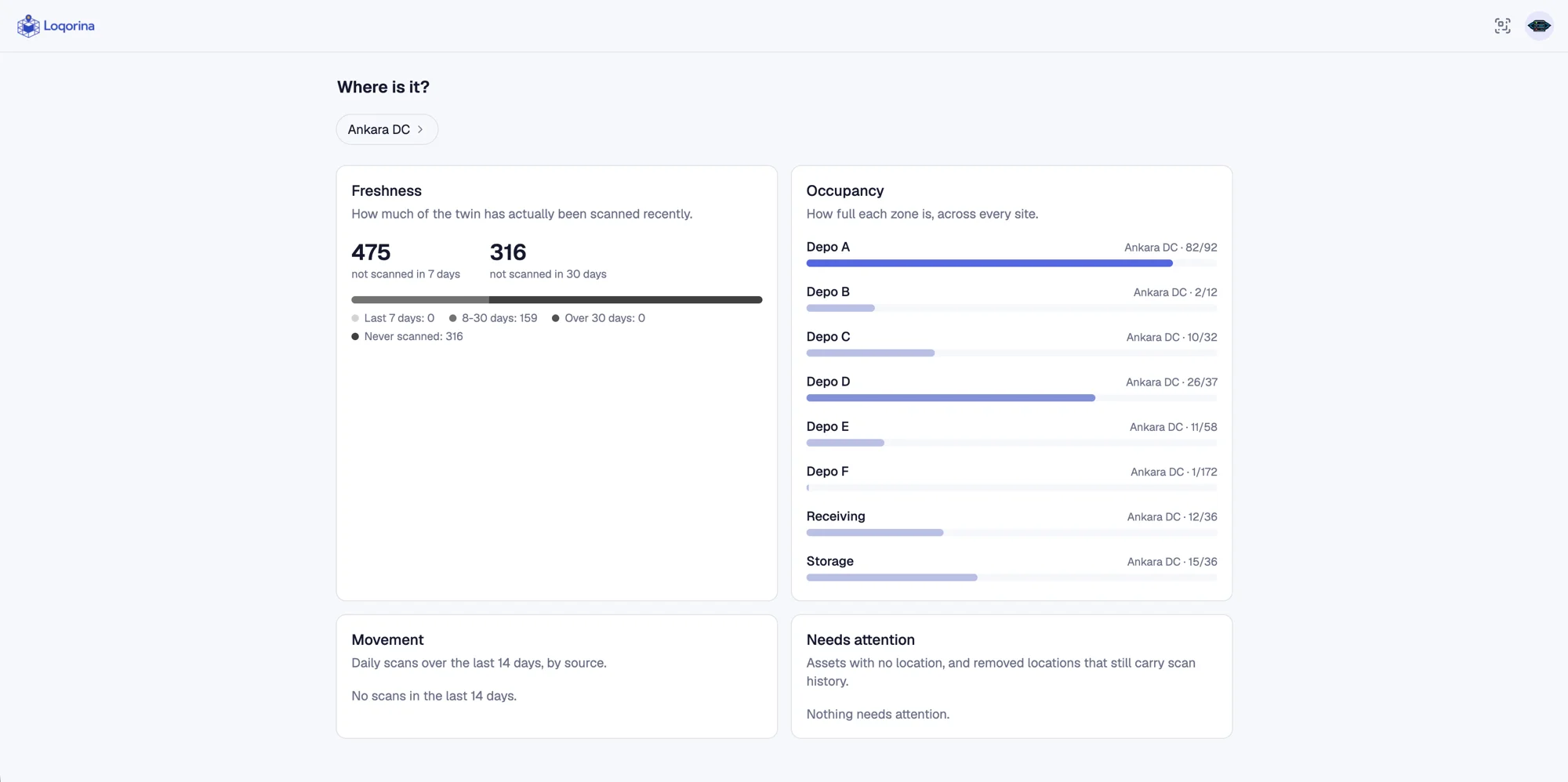
A fill-level heatmap over the floor plan, color-coded by occupancy
03 / Setup
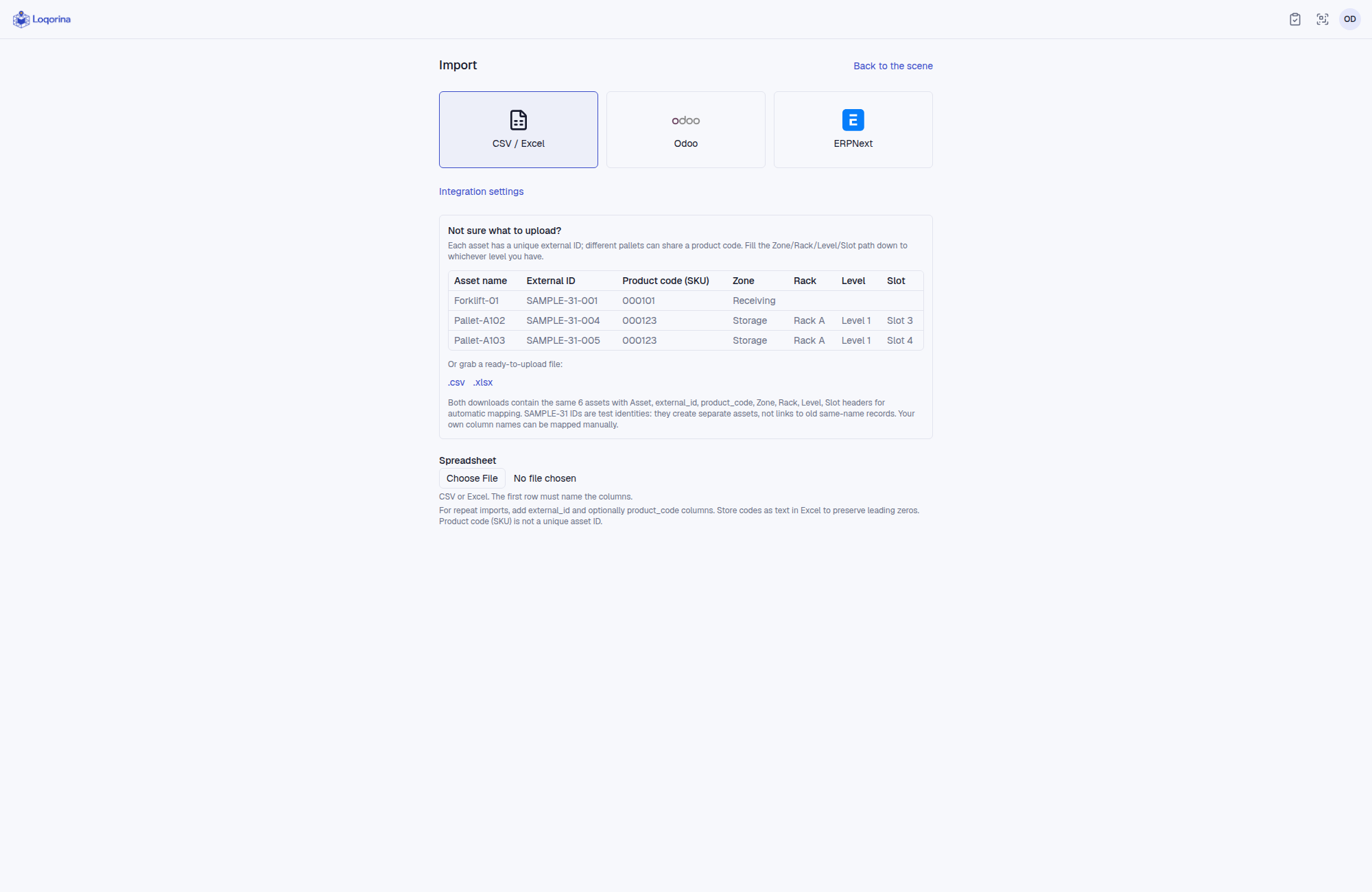
Bring what you already have
Upload CSV or Excel files, or import serial-tracked assets from Odoo and ERPNext. Map locations and preview changes before applying them. ERP imports are read-only and preserve existing Loqorina locations.
04 / Setup
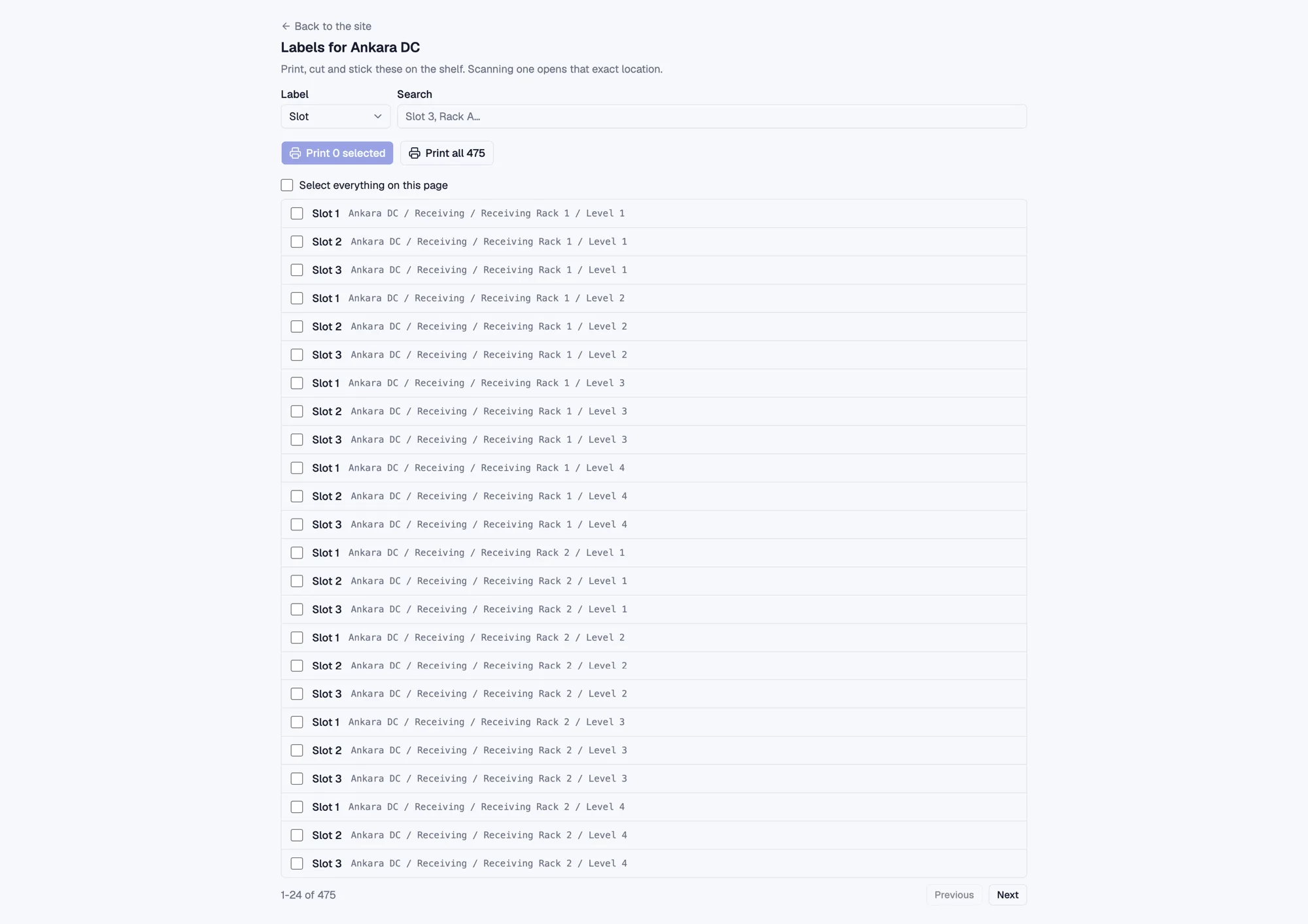
Print the labels, stick them on the shelf
Every location gets a QR code. Print a whole aisle at once, or one sticker when one peels off. Scanning a code opens that exact shelf — no login, no app to install.
05 / Every week
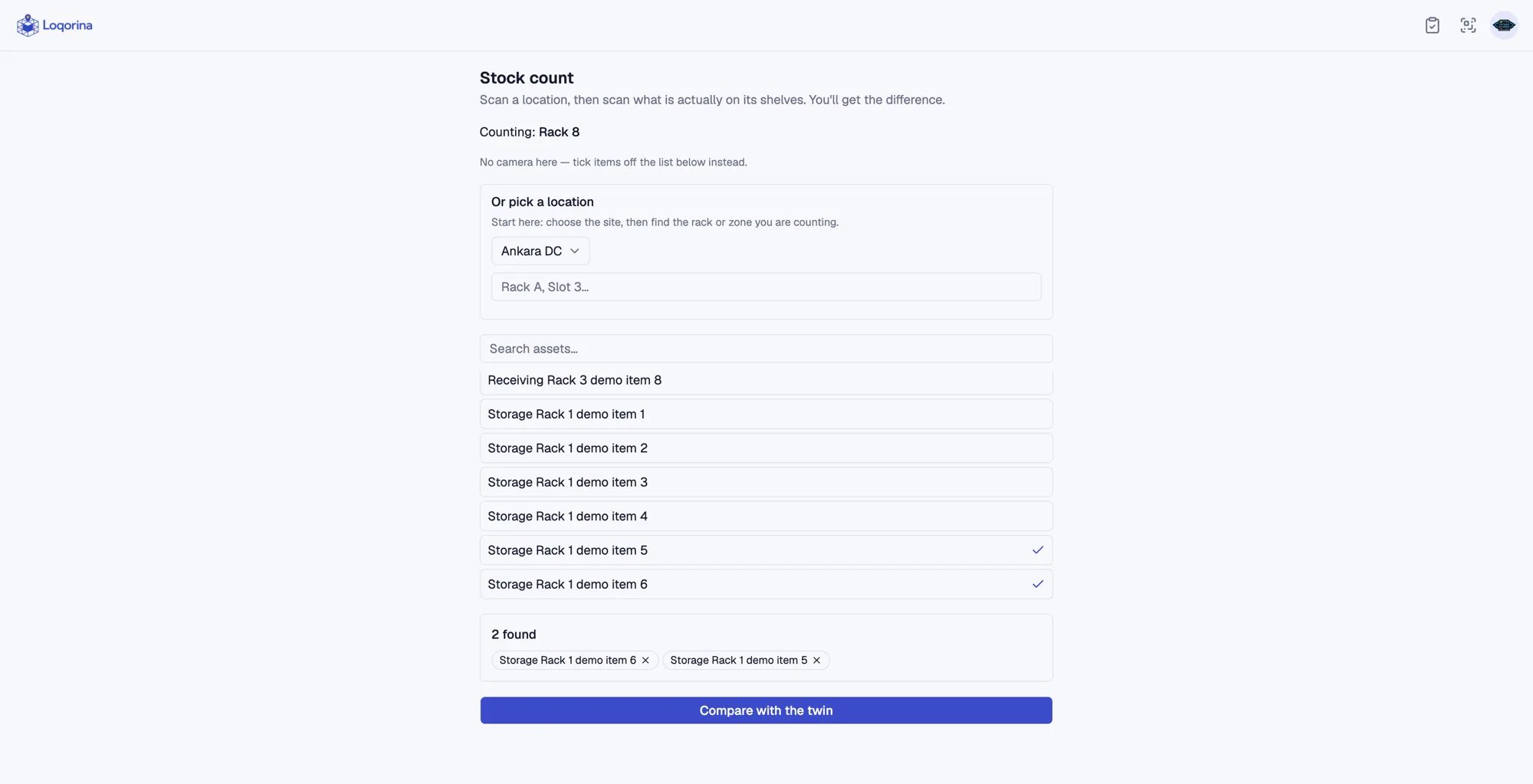
Count an aisle, see what drifted
Walk the shelves, scan what is actually there, and Loqorina tells you the difference: what is missing, and what turned up somewhere it should not be. The part a spreadsheet cannot do.
Pricing
Simple pricing for your organization
One organization subscription. One warehouse during the free trial; unlimited warehouses with an active paid subscription.
Monthly
$29/ month
- Interactive 3D twin of your warehouse: zones, racks, levels, slots
- A QR code for every location and asset
- Mobile scanning with an offline queue for spotty warehouse wifi
- Full asset movement history, not just the current location
- Search that flies the camera straight to the answer
Yearly
Save 17%$290/ year
- Interactive 3D twin of your warehouse: zones, racks, levels, slots
- A QR code for every location and asset
- Mobile scanning with an offline queue for spotty warehouse wifi
- Full asset movement history, not just the current location
- Search that flies the camera straight to the answer
Custom
For warehouses with specific infrastructure or feature needs, priced around what you actually require.
Contact usPrices are plus taxes. applicable VAT is added to your invoice.
Card required. One warehouse during the trial; unlimited warehouses after successful payment. Choose monthly or yearly billing before checkout. Unless cancelled, Paddle charges automatically at the end of the trial and on renewal. Prices exclude tax; the total is shown at checkout.
First-time setup is free when you draw it yourself or send us a spreadsheet. We can also model the warehouse for you.
Want to see it first? Get in touch for a demo
From the blog
Ideas on warehouses, spatial data, and Loqorina
Notes on what we're building and the problems we're building it for.
Why we built Loqorina
3D is not the product. 3D is the interface. Here's the thinking behind Loqorina, and why we started with one question: where is it?
Read moreInside the QR scan: how Loqorina keeps a warehouse twin honest
A digital twin is only as good as its last update. Here's how Loqorina's QR scan pipeline keeps location data current without extra paperwork.
Read more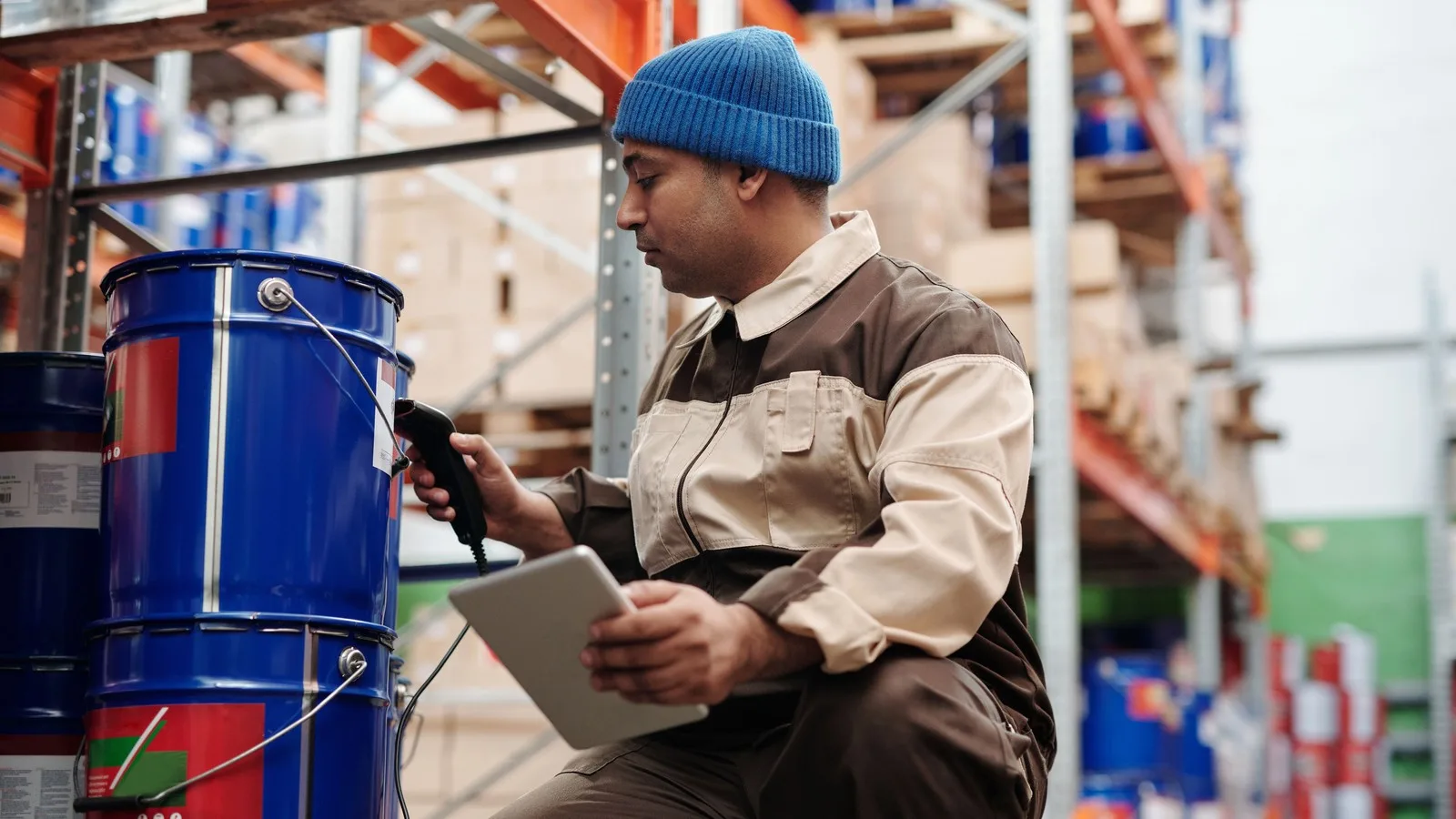
The hidden cost of not knowing where things are
Not knowing exactly where a pallet or a bin is doesn't show up as a line item, but it's costing your warehouse time every single day. Here's where that cost actually hides.
Read moreDoes Loqorina replace our WMS or ERP?
No. Loqorina is a spatial layer that sits on top of what you already use, not a system of record. It imports from Excel or CSV and shows where things physically are; it does not replace your existing inventory or ERP system.
What happens if we stop scanning for a while?
The twin goes stale, and Loqorina tells you instead of pretending everything is current. The freshness dashboard shows exactly which locations have not been scanned in the last 7 or 30 days, so you catch drift before it becomes a real problem.
Does scanning work without an internet connection?
Yes. The mobile scan flow queues scans offline and syncs them automatically once the connection comes back, so a dead zone on the warehouse floor does not block anyone.
Do we need to buy hardware, beacons, or handheld scanners?
No. Every location and asset gets a printed QR code, and any phone camera can scan it. There is no beacon network or dedicated hardware to install.
Loqorina
Know where everything is.
Start with a QR scan, not a CAD file.