
Getting started
Setting up your first warehouse
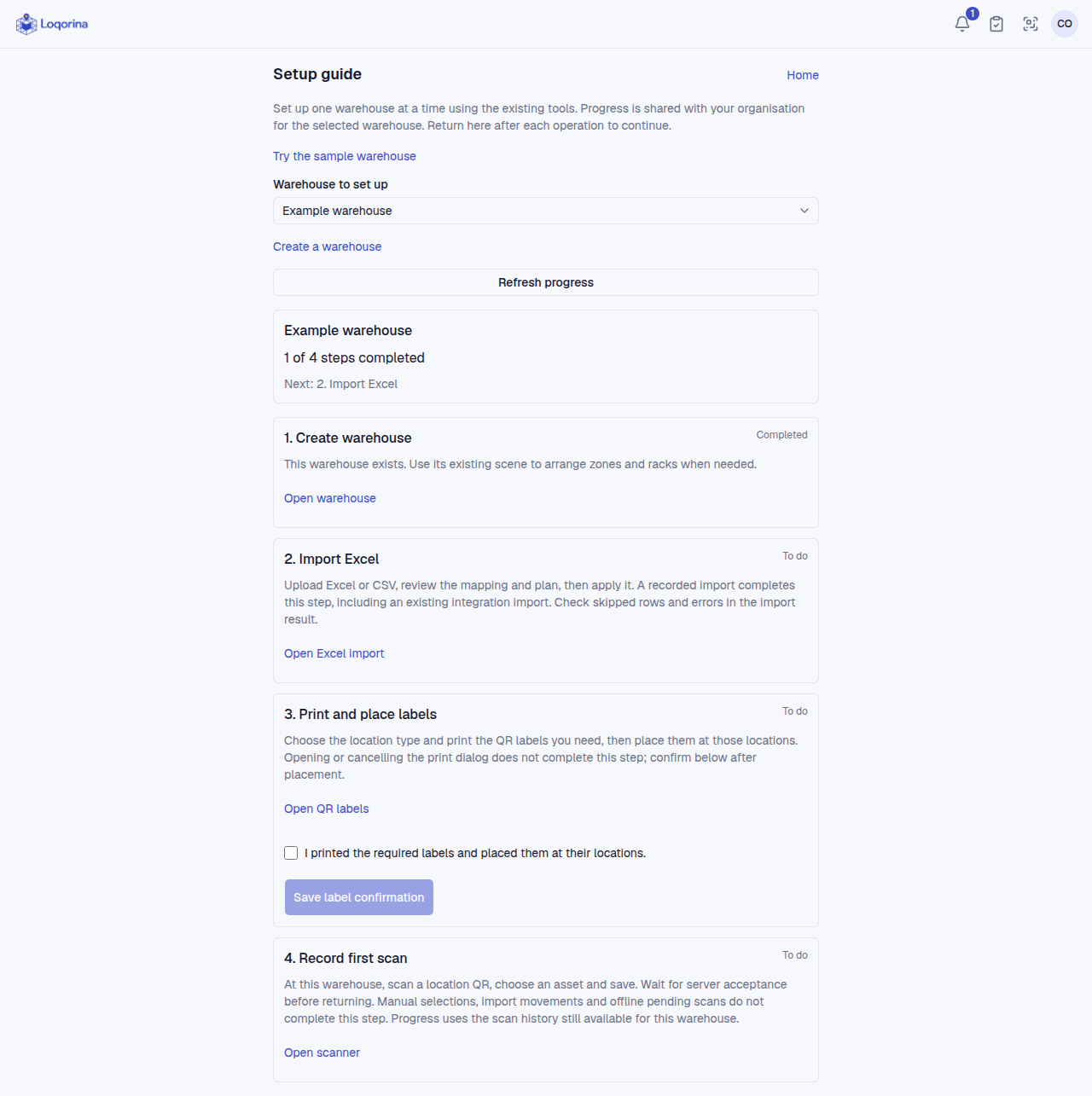
Follow the four steps in the setup guide.
Account and subscription
- Create an account, open the verification email and set your password, then sign in. Existing users should sign in or reset their password instead.
- On Subscription, choose monthly or yearly billing and review the recurring-charge consent before adding a card in Paddle. The 14-day trial allows one warehouse. Return verification is automatic; if confirmation is delayed, use Verify subscription status. Returning from checkout alone does not grant access.
- The organization admin can end the trial early or upgrade monthly billing to yearly. Review the tax-inclusive charge and unused-time credit before confirming payment. Unlimited warehouses require verified paid access. Change payment method opens the secure Paddle portal.
- Turn off automatic renewal and check confirmation more than 30 minutes before collection. Cancellation does not issue a refund. Full refunds of the current period remove paid access; partial refunds do not. Refunds do not cancel renewal. If access expires or payment fails, operations are blocked; billing and support remain available. Existing manual customers are not automatically migrated.
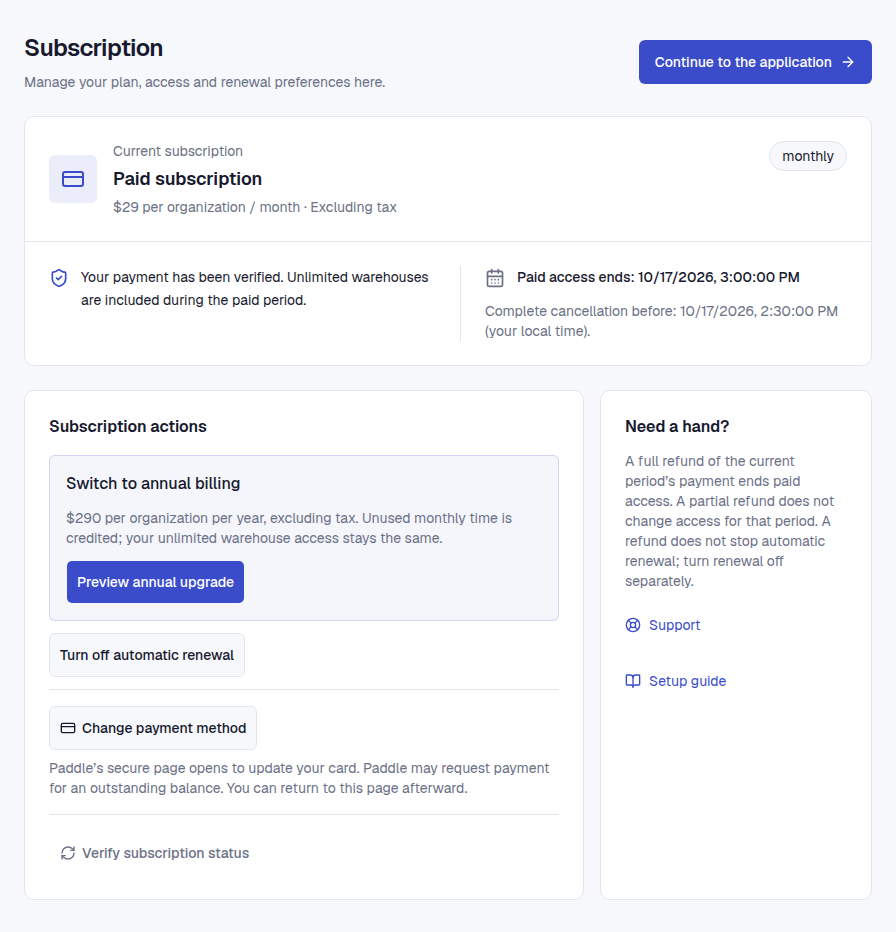
Example subscription screen with fictional test data; not proof of a real payment.
Set up the warehouse
Home → Setup guide. As an admin/manager, choose or create the warehouse. Progress is shared within the organization for that warehouse.
- Create the warehouse; arrange zones and racks in its scene if needed.
- Open Excel/CSV import, review mapping and changes, then apply. Preview alone does not complete the step.
- Print labels and place them at the correct locations; save the placement confirmation in the guide. Opening the print dialog is insufficient.
- Scan a location QR in this warehouse, select the asset, save and await server confirmation. Manual moves or queued offline scans do not complete this step.
Return and refresh progress. The sample warehouse exercise does not complete real setup.
Screenshots use fictional example data. Application screens are available in Turkish or English.