Assets
Pallet contents, quantities and units
Track declared quantities of one or several products inside a physical asset.
An asset is not a product
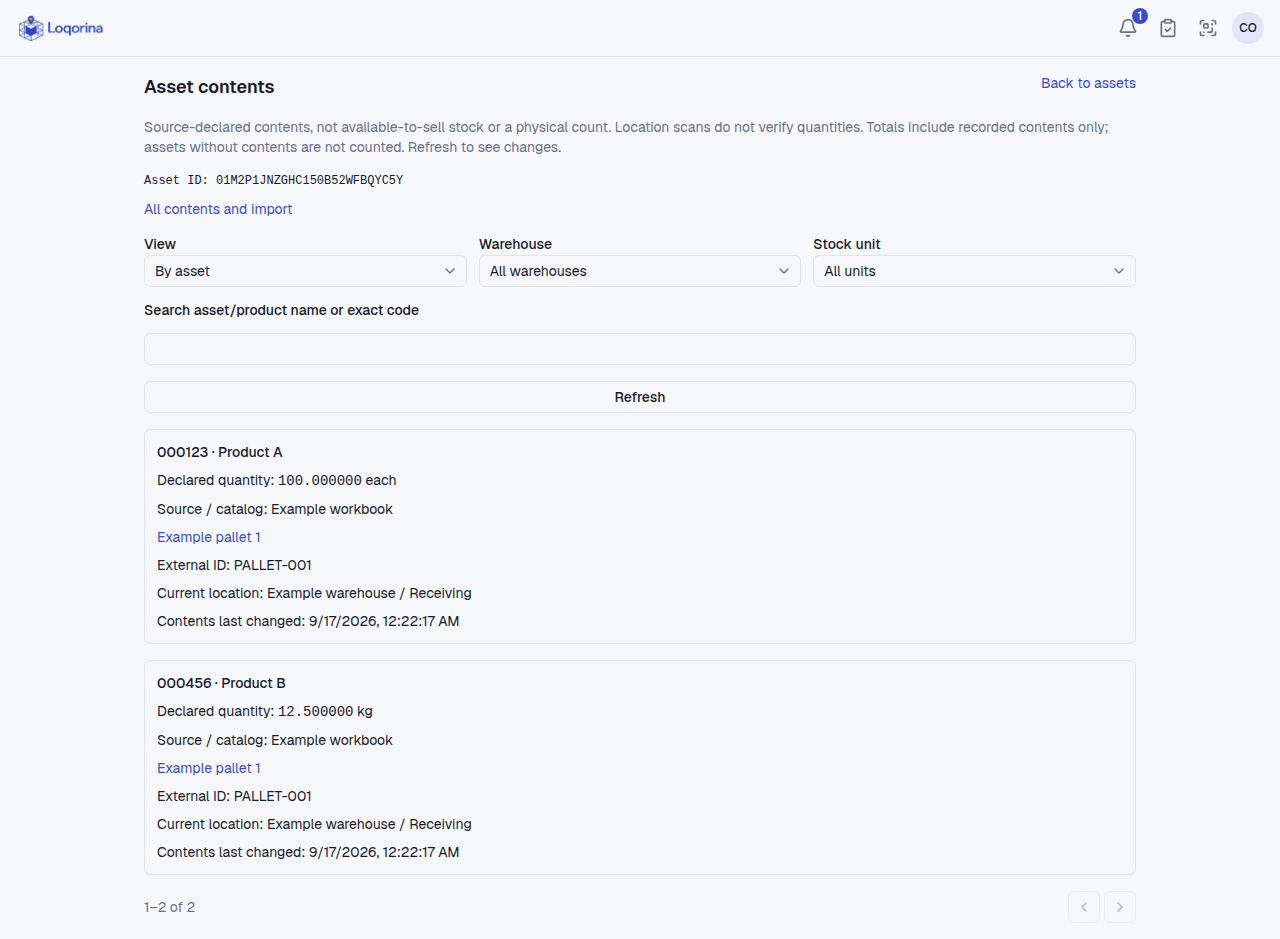
One pallet can contain 100 units of A and 12.5 kg of B. Moving the pallet moves all its contents without changing quantities. This is not available stock, reservations or a physical quantity count.
First import
- Open Locations → Assets and create assets with external IDs such as
PALLET-001andPALLET-002. - Open Asset contents, download the sample CSV and replace its external IDs with your assets' IDs.
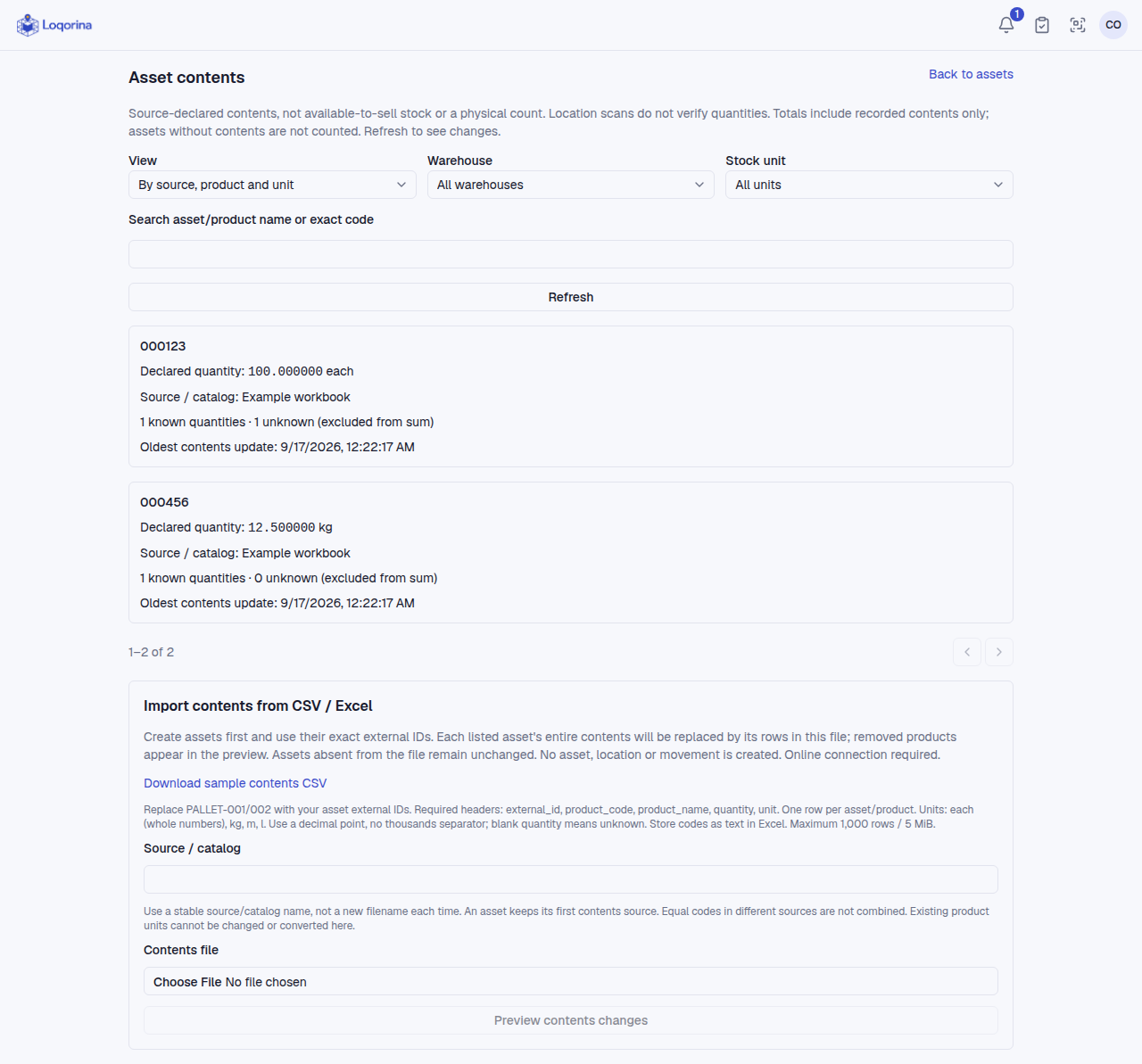
- Enter a stable source/catalog name, choose the file and preview changes.
- Check quantities and removals, tick the confirmation and save.
Headers: external_id,product_code,product_name,quantity,unit. Units: each (whole numbers), kg, m, l. Use a decimal point and text cells for Excel codes. Maximum 1,000 rows and 5 MiB. Admins and managers import; operators can read.
Safe updates
The file replaces the complete contents of each included asset. Missing product lines appear as removals; assets absent from the file stay unchanged. Reimporting does not add quantities. Changes by another user require a new preview. Existing sources and product units cannot be changed here.
Blank means unknown, not zero. Totals are separated by source, product and unit; unknown quantities are reported outside the sum. Top filters do not filter the file preview below.
Limits
After removing products physically, update your source file. Partial picking, splitting, unit conversion and automatic ERP quantity synchronization are not included. Contents import requires internet and does not create assets.
Screenshots use fictional example data. Application screens are available in Turkish or English.