
QR Code Asset and Location Tracking
Give every location a QR identity and recognize assets by the barcodes they already carry. Scan with a phone, record moves and queue scans on the device when the warehouse connection drops.
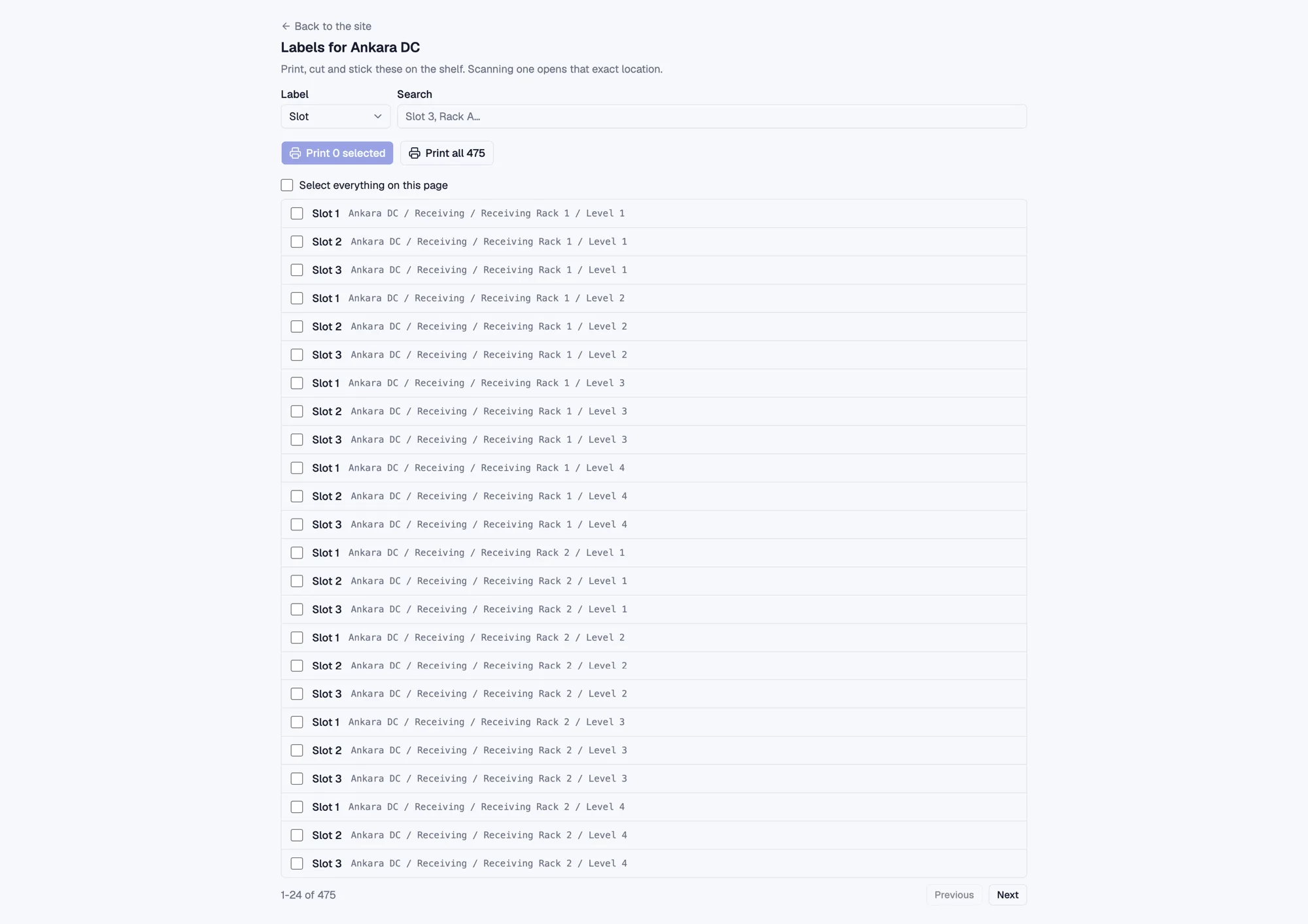
When nobody records where a pallet, box or piece of equipment was placed, even a good warehouse map becomes stale. Loqorina brings this update into everyday work. Location QR codes and asset barcodes connect a physical action to an identifiable record, instead of relying on someone updating another list from memory later.
Match labels to locations
Zones, racks, levels and slots receive QR identities; tracked assets are recognized by their existing EAN or Code 128 barcode. Print zone, rack and slot labels in batches or reprint a damaged label individually. Each QR code is a link to its record rather than raw data stored on the label.
Record movements from a phone
Use the phone camera to scan codes on the warehouse floor. A location update is recorded as an event with an actor and time. The team can inspect earlier movements as well as the current location.
Sync when the connection returns
The mobile scan flow queues scans on the device when connectivity drops and syncs them after it returns. This is a capability of the scanning flow, not a promise that every screen of the application works offline.
Scope and limitations
QR tracking requires people to scan the codes. It does not require beacons or a dedicated handheld scanner, but it does not detect every moving asset automatically.