
Warehouse Asset and Location Tracking
Which asset is on which shelf? Find assets on a 3D warehouse map with Loqorina and see location addresses alongside movement history.
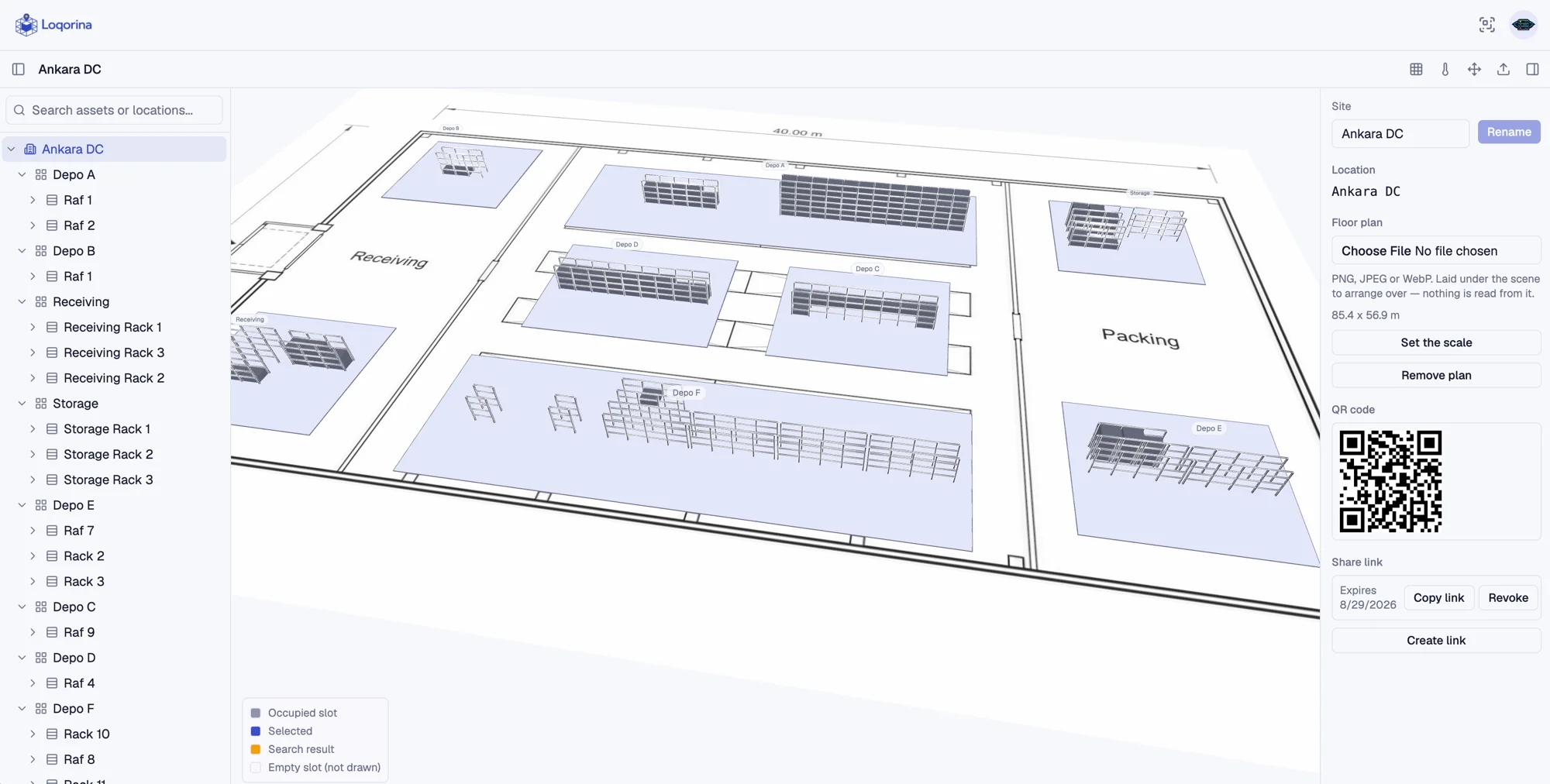
If finding an asset means walking the aisles or asking the same experienced colleague, a list alone is not enough. Loqorina connects asset records to physical warehouse addresses. Small and mid-sized teams can share a location view alongside their existing inventory system, rather than relying on somebody remembering the last move.
Give every location a shared address
Define the warehouse as zones, racks, levels and slots. Each location has a stable identity. An asset's position becomes an address the team can share, instead of an informal description that only some employees understand.
Search and find it on the map
Searching for an asset takes the camera to its location. The location tree and 3D view work together, showing where a rack sits rather than only its name. Movement history helps you understand how the current location was recorded.
Keep the map current through daily work
Record physical moves through QR scans or explicit move actions in the app. Locations do not update themselves. Making this part of everyday work is what keeps a drawn warehouse layout connected to the real warehouse.
Short video
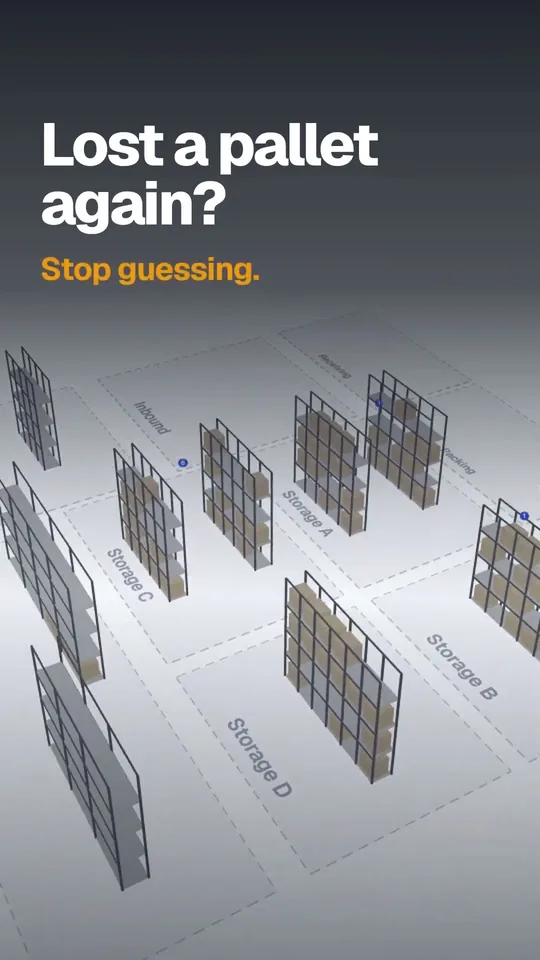
Find any pallet in seconds
A quick look at how Loqorina shows where every pallet sits on a 3D map of your warehouse.
On-screen text in English
Scope and limitations
Loqorina is not a WMS, accounting or purchasing system. Location tracking depends on scans and recorded updates; it is not automatic real-time positioning without sensors.